open app
digital wardrobe & studio

clotho

dress with intention.
audition before you dress.

turn messy closet piles into a high-fashion runway lookbook. on-device AI background removal, 7-slot mannequin layering, outfit calendar diary with daily style streak, and offline data sovereignty.

open clotho

free • zero account required • add to home screen

CLOTHO STUDIO —— 2026

NEVER THROW 10 OUTFITS
ON YOUR BED AGAIN.

END CLOSET CHAOS FOREVER
instant studio cutout engine • 7-layer canvas • calendar streak • local data sovereignty
APP SHOWCASE

swipe through the real iOS interface designed for elegance and instant control.

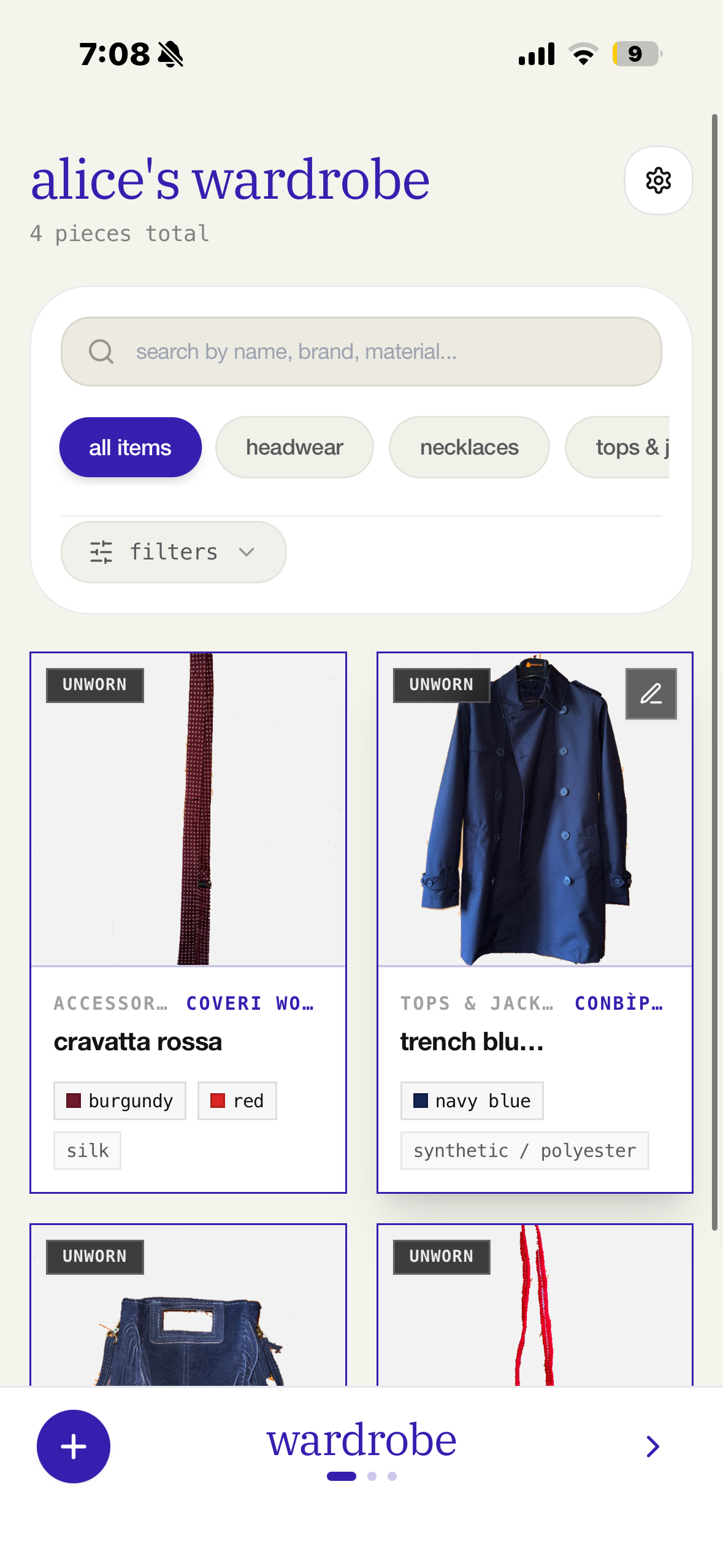
Clotho Digital Wardrobe interface on iPhone
01. WARDROBE VAULT
digital wardrobe
browse cataloged garments with transparent cutouts, categories, and wear history.
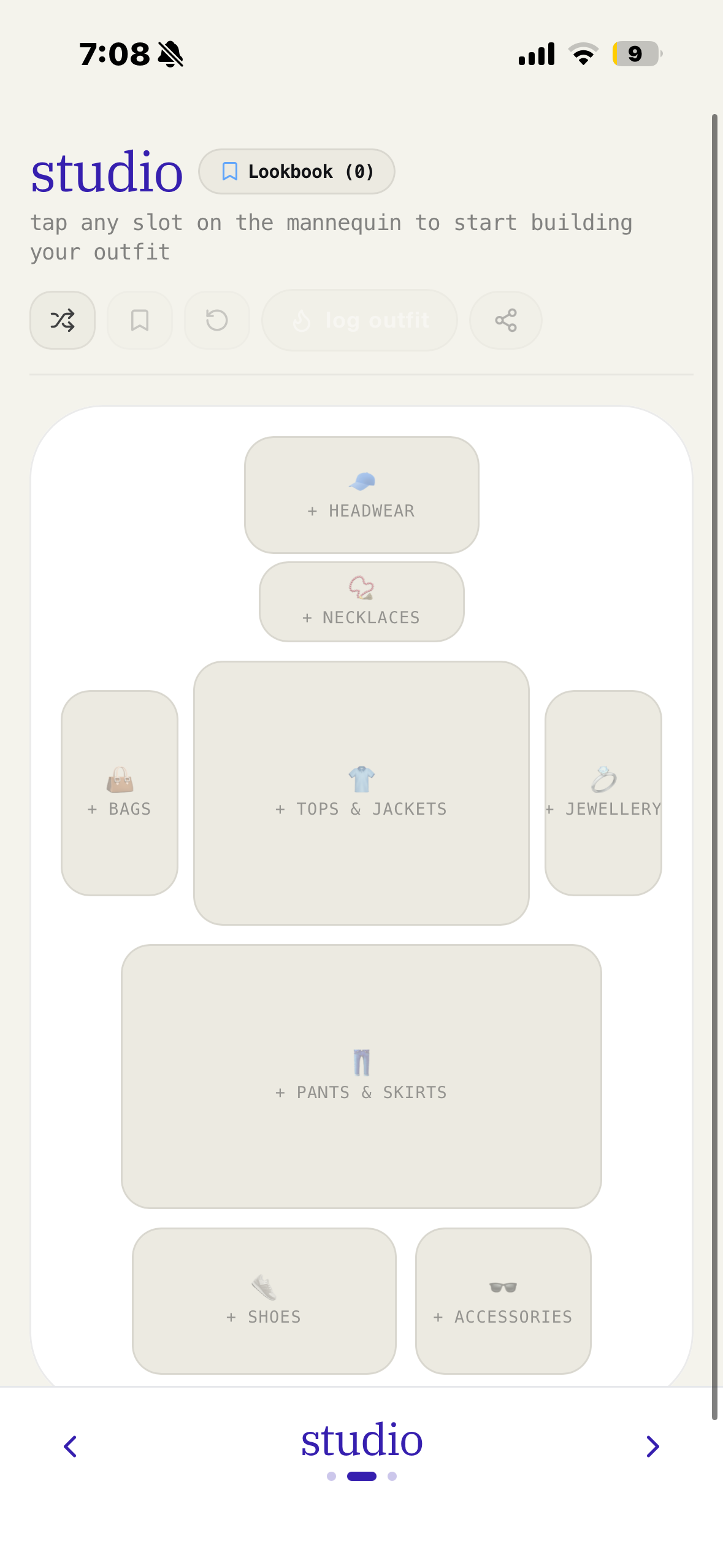
Clotho 7-slot Styling Studio Mannequin on iPhone
02. STYLING STUDIO
7-slot live mannequin
test silhouettes, proportions, and layers in real-time before getting dressed.
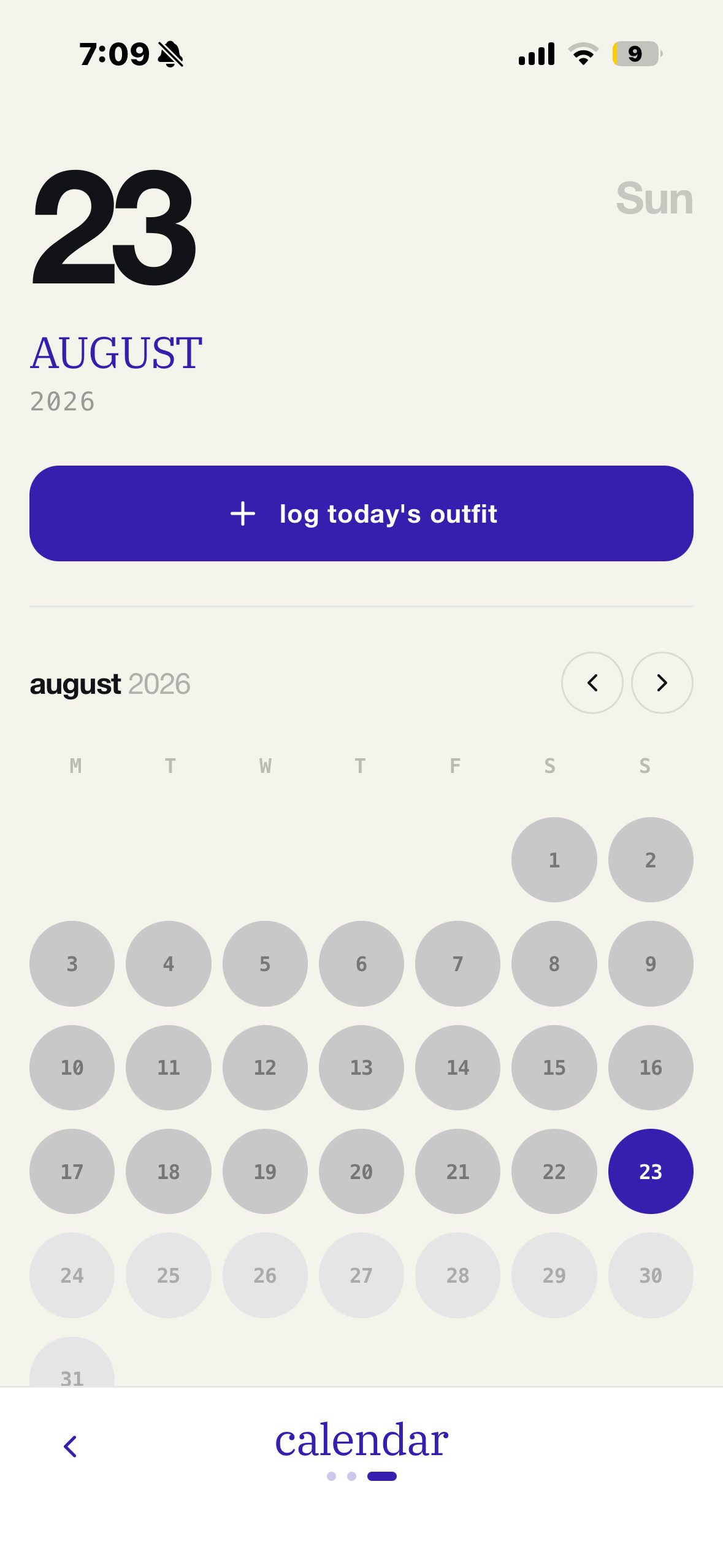
Clotho Calendar and Outfit Diary on iPhone
03. STYLE DIARY
calendar & daily log
log your daily outfit with 1 tap, track streaks, and discover your most-worn pieces.
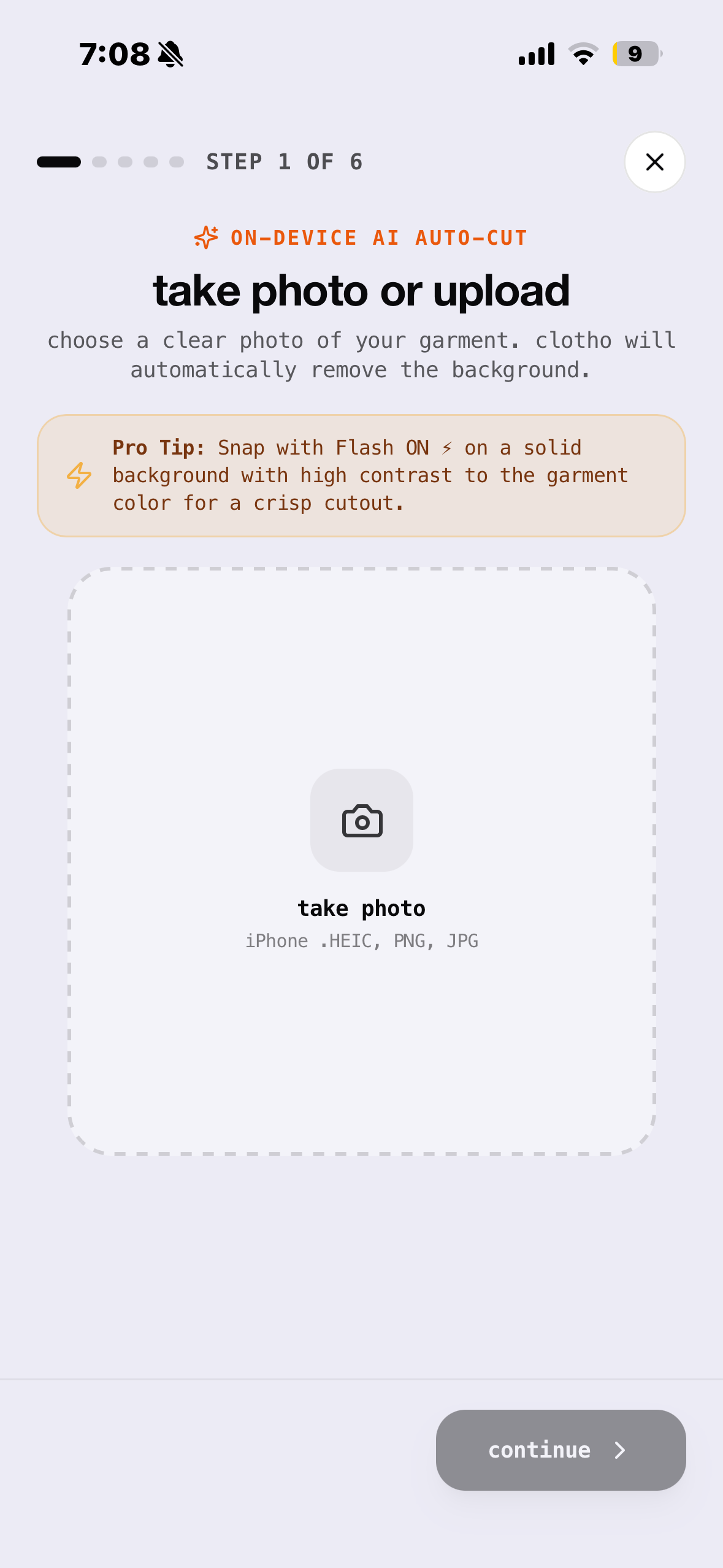
Clotho On-Device AI Auto-Cut camera onboarding on iPhone
04. ON-DEVICE AI
auto-cut camera
capture garments anywhere and remove backgrounds in 0.2s without cloud latency.
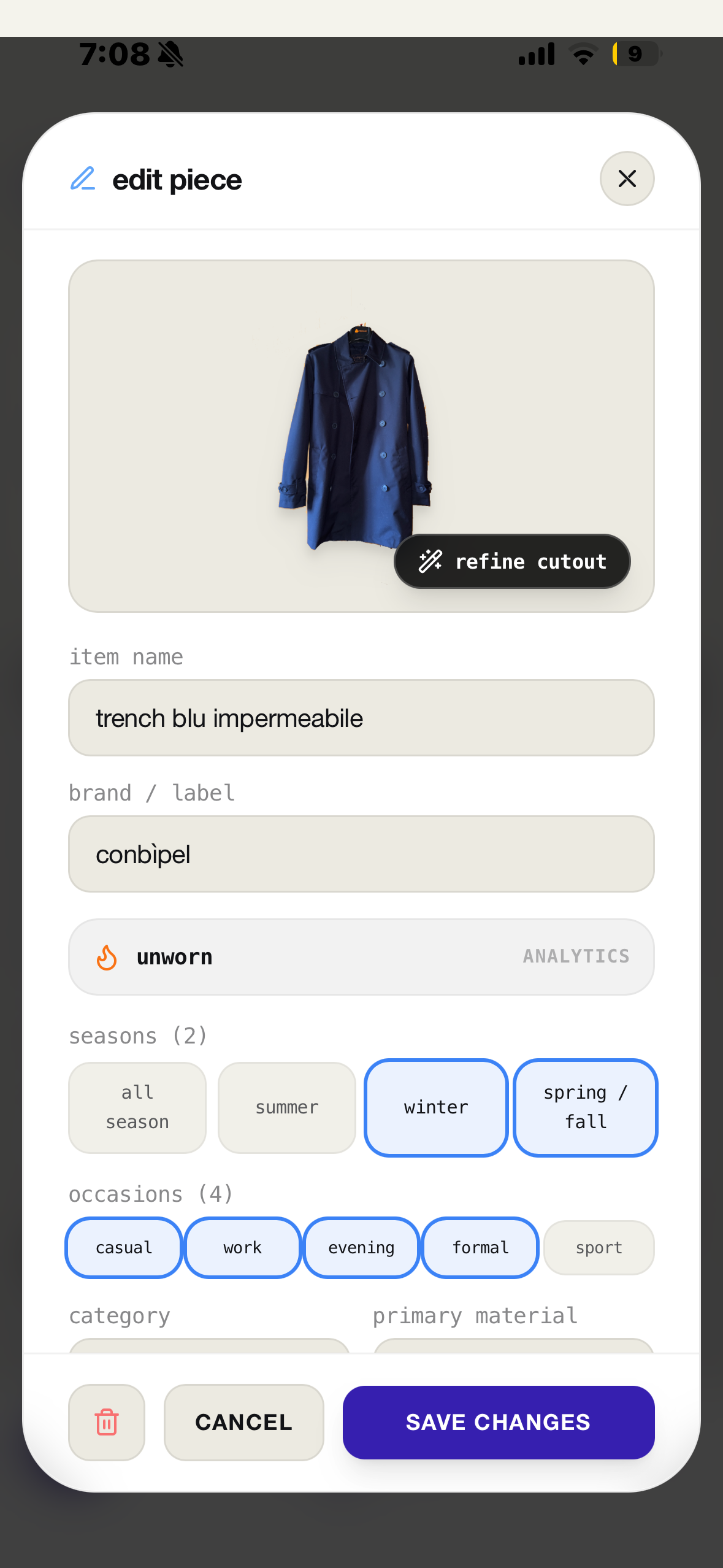
Clotho Piece Edit and Archival details on iPhone
05. PIECE DETAILS
archival piece editor
refine edges with magic wand, tag 32 fabrics, seasons, and occasions.
Clotho Minimalist Splash Launch screen on iPhone
06. SPLASH SCREEN
minimalist launch
pure typography and distraction-free aesthetic from the very first second.
FEATURE 01 THE STYLING STUDIO

audition silhouettes & proportions on a live silhouette.

tap any slot on the mannequin to test outfits from your closet. check how collar necklines interact with knitwear, see jacket lengths over trousers, and finish with jewelry.

FEATURE 02 ON-DEVICE AUTO-CUT

from your bedroom floor to runway cutout in 0.2s.

snap a quick photo of your garment anywhere—including native Apple .HEIC photos. clotho instantly erases the messy background, lets you refine tricky holes with the magic wand, and extracts colors.

FEATURE 03 NEW • OUTFIT DIARY

build your style streak. track what you actually wear.

tap "wear today" directly in studio to save your look into the visual monthly calendar. keep your daily style streak alive (🔥) and discover your "#1 most worn piece" this month.

FEATURE 04 TONAL DRESSING

filter by multiple color palettes simultaneously.

master tonal color-matching. open the expandable color drawer to filter across several tones (e.g. camel + cream + espresso) and explore pieces sorted across 32 authentic textile materials.

FEATURE 05 DATA SOVEREIGNTY

your wardrobe is yours. zero cloud algorithms.

clotho stores all high-resolution cutouts and lookbooks locally inside your browser memory. save backups directly to your preferred cloud file service in 1-tap.

100% local-first & zero tracking
no ads, no remote database tracking, and full export compatibility with your preferred cloud file service.
FAQ KNOWLEDGE BASE

frequently asked questions

what makes clotho different from other wardrobe apps?

clotho is 100% private, on-device, and editorial. Unlike traditional wardrobe trackers that require logins, upload your photos to remote servers, or put features behind subscriptions, clotho runs locally in your browser with zero tracking, instant 0.2s AI background cutouts, and offline backup to your preferred cloud file service.

how does on-device AI cutout work without cloud servers?

clotho utilizes modern WebAssembly and Canvas neural segmentation directly inside your browser engine. The entire cutout process takes under 200ms without sending a single byte of your photos to any external cloud API.

can I install clotho as an app on my iPhone or iPad?

Yes! Open clotho in Safari on iOS/iPadOS, tap the Share icon, and select "Add to Home Screen". Clotho installs as a native-feeling standalone PWA with full offline capabilities, safe-area support, and cloud file backup integration.

how do I back up my closet?

In clotho's settings or closet view, tap "Export Backup". When your device's native file manager opens, simply choose your preferred cloud file service as the destination folder. You can easily restore your entire wardrobe on any device with 1-tap by selecting this backup file.

clotho

ready to elevate your personal style?

no account signup, no cloud tracking. start styling your wardrobe on your iPhone or desktop in seconds.

launch clotho webApp